




Spingranny App
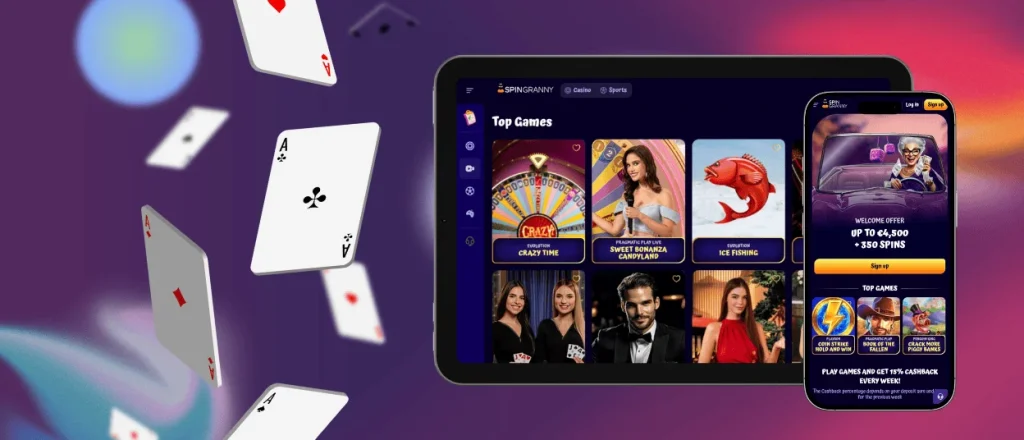
Korzystanie z Spingranny App jest dostępne na urządzeniach mobilnych, więc możesz grać bezpośrednio na telefonie lub tablecie bez dodatkowej konfiguracji. Nasza strona jest w pełni responsywna, co oznacza, że automatycznie dopasowuje się do różnych rozmiarów ekranów i typów urządzeń. Utrzymujemy interfejs prosty i szybki, abyś mógł łatwo przełączać się między grami a swoim kontem.



Najważniejsze funkcje Spingranny App
Korzystanie z Spingranny App jest stworzone do gry w przeglądarce na urządzeniach mobilnych, więc wszystko wczytuje się płynnie i dopasowuje do ekranu bez potrzeby powiększania ani przewijania na boki. Skupiamy się na szybkiej nawigacji i układzie, który pozostaje wygodny zarówno na telefonach, jak i na tabletach.
Główne funkcje, których możesz się spodziewać:
- Responsywny wygląd: strona automatycznie dopasowuje się do różnych rozmiarów ekranów.
- Szybki dostęp do gier: czytelne kategorie i wyszukiwanie pomagają szybciej znaleźć automaty i inne gry.
- Płynna rozgrywka: gry są zoptymalizowane pod sterowanie dotykowe i wydajność na urządzeniach mobilnych.
- Proste zarządzanie kontem: sprawdzisz saldo i dane profilu w kilku stuknięciach.
- Przyjazny dla urządzeń mobilnych proces wpłaty: kroki wpłaty są zaprojektowane tak, aby łatwo je wykonać na mniejszych ekranach.
- Bezpieczne opcje logowania: standardowe środki bezpieczeństwa, takie jak szyfrowane połączenia, pomagają chronić Twoją sesję.
Spingranny App na urządzeniu z systemem iOS
Korzystanie z Spingranny App na urządzeniach z systemem iOS jest przygotowane do płynnej gry w przeglądarce mobilnej, więc możesz od razu otworzyć stronę i zacząć grać na urządzeniu iPhone lub iPad. Utrzymujemy interfejs responsywny, dzięki czemu przyciski, menu i ekrany gier pozostają wygodne w użyciu na mniejszych wyświetlaczach.
Przydatne ustawienia systemu iOS dla lepszej gry:
- Jeśli gra się nie wczytuje, spróbuj wyłączyć blokowanie treści dla naszej strony (blokowanie reklam może zakłócać działanie skryptów gier).
- Upewnij się, że pliki ciasteczek są dozwolone, ponieważ pomagają utrzymać stabilną sesję po zalogowaniu.
- Jeśli używasz trybu niskiego zużycia energii, gra może działać mniej płynnie, więc wyłączenie tego trybu może pomóc podczas dłuższych sesji.
- W przypadku niektórych kroków wpłaty lub weryfikacji system iOS może poprosić o uprawnienia — zezwalaj na wyskakujące okna lub dostęp do aparatu tylko wtedy, gdy wykonujesz działanie, które sam rozpocząłeś.

Spingranny App na urządzeniu z systemem Android
Korzystanie z Spingranny App na urządzeniach z systemem Android działa płynnie w przeglądarce mobilnej, więc możesz otworzyć nasze kasyno i zacząć grać w kilka sekund. Zaprojektowaliśmy układ tak, aby dobrze pasował do ekranów z systemem Android i żeby najważniejsze działania były łatwo dostępne.
Jak uzyskać szybki dostęp na urządzeniu z systemem Android (zalecane):
- Otwórz Spingranny w przeglądarce Chrome (lub innej nowoczesnej przeglądarce).
- Zaloguj się (lub załóż konto) i wybierz grę.
- Dotknij menu przeglądarki i wybierz opcję dodania do ekranu głównego, aby mieć dostęp jednym stuknięciem.
- Aktualizuj przeglądarkę, aby uniknąć problemów z wczytywaniem lub logowaniem.
Spingranny App na systemach Windows i macOS
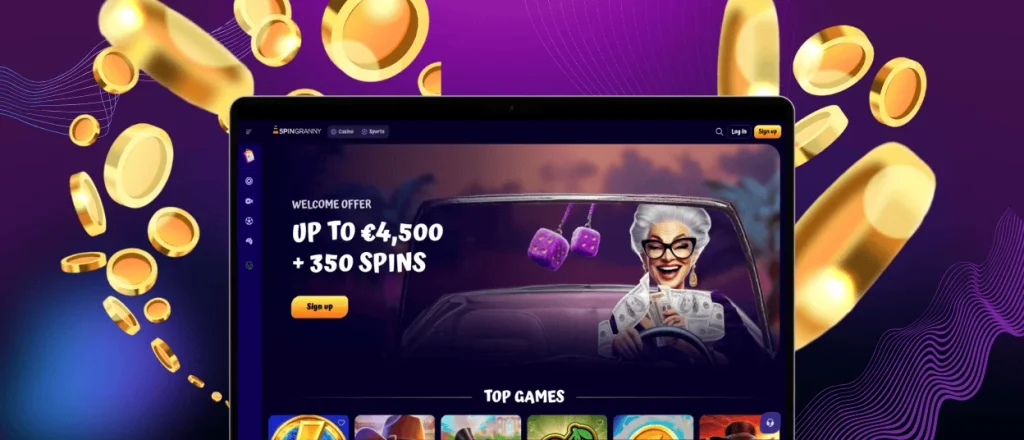
Korzystanie z Spingranny App na systemach Windows i macOS odbywa się w przeglądarce internetowej, więc możesz grać na laptopie lub komputerze stacjonarnym w widoku pełnoekranowym. To przydatne, jeśli wolisz większe okno gry, szybkie przełączanie kart i łatwiejsze wpisywanie danych podczas zarządzania kontem.
W systemie Windows wielu graczy korzysta z przeglądarki Chrome lub Edge. W systemie macOS zwykle dobrze działają przeglądarki Safari i Chrome. Na przykład, jeśli automat wczytuje się wolno albo lobby pozostaje puste, otwarcie strony w oknie prywatnym często to naprawia, ponieważ przeglądarka uruchamia wtedy czystą sesję.
Jeśli transmisja gry na żywo wygląda na rozmazaną, najpierw sprawdź połączenie, a potem zamknij inne wymagające aplikacje (na przykład wideorozmowy), aby zwolnić zasoby i prędkość. A gdy dokonujesz wpłaty, korzystaj z aktualnej, standardowej przeglądarki — starsze wersje mogą blokować strony płatności lub kontrole bezpieczeństwa.
FAQ
Czy korzystanie z Spingranny App jest bezpieczne?
Korzystanie z Spingranny App działa na naszej bezpiecznej platformie internetowej z szyfrowanymi połączeniami podczas logowania do konta oraz na etapach związanych z płatnościami. Nadal zalecamy używanie silnego hasła i logowanie się wyłącznie z zaufanych urządzeń oraz sieci.
Czy mogę korzystać z bonusów w Spingranny App tak samo jak na komputerze?
Tak. Ponieważ urządzenia mobilne i komputer korzystają z tej samej platformy Spingranny, możesz odbierać promocje i używać kodów bonusowych także na urządzeniach mobilnych, o ile przestrzegasz aktualnie obowiązujących warunków.
Z jakich metod wpłaty mogę korzystać w Spingranny App?
Możesz korzystać z tych samych opcji wpłaty, które widzisz na swoim koncie na komputerze, ale ich dostępność może się zmieniać w zależności od kraju i statusu weryfikacji. Najczęściej są to karty bankowe, portfele elektroniczne, przelew bankowy lub bankowość natychmiastowa oraz kryptowaluty, jeśli są obsługiwane.
Czy mogę skontaktować się z pomocą techniczną przez Spingranny App?
Tak. Podczas korzystania z Spingranny App na telefonie możesz skontaktować się z nami przez czat na żywo lub pocztę elektroniczną. Jeśli masz problem z wpłatą albo pytanie dotyczące gry, po prostu napisz do nas — zawsze jesteśmy gotowi pomóc.


